Invitations · RSVPs · Smart Reminders

Every simcha begins with an invitation.

Send your invitations once. SimchaVite follows up with anyone who hasn't RSVP'd, by email and text, on their time and never on Shabbos or Yom Tov, so you can focus on the simcha.
  • Import contacts straight from your phone
  • Shared dashboard for both families
  • Free up to 18 people attending
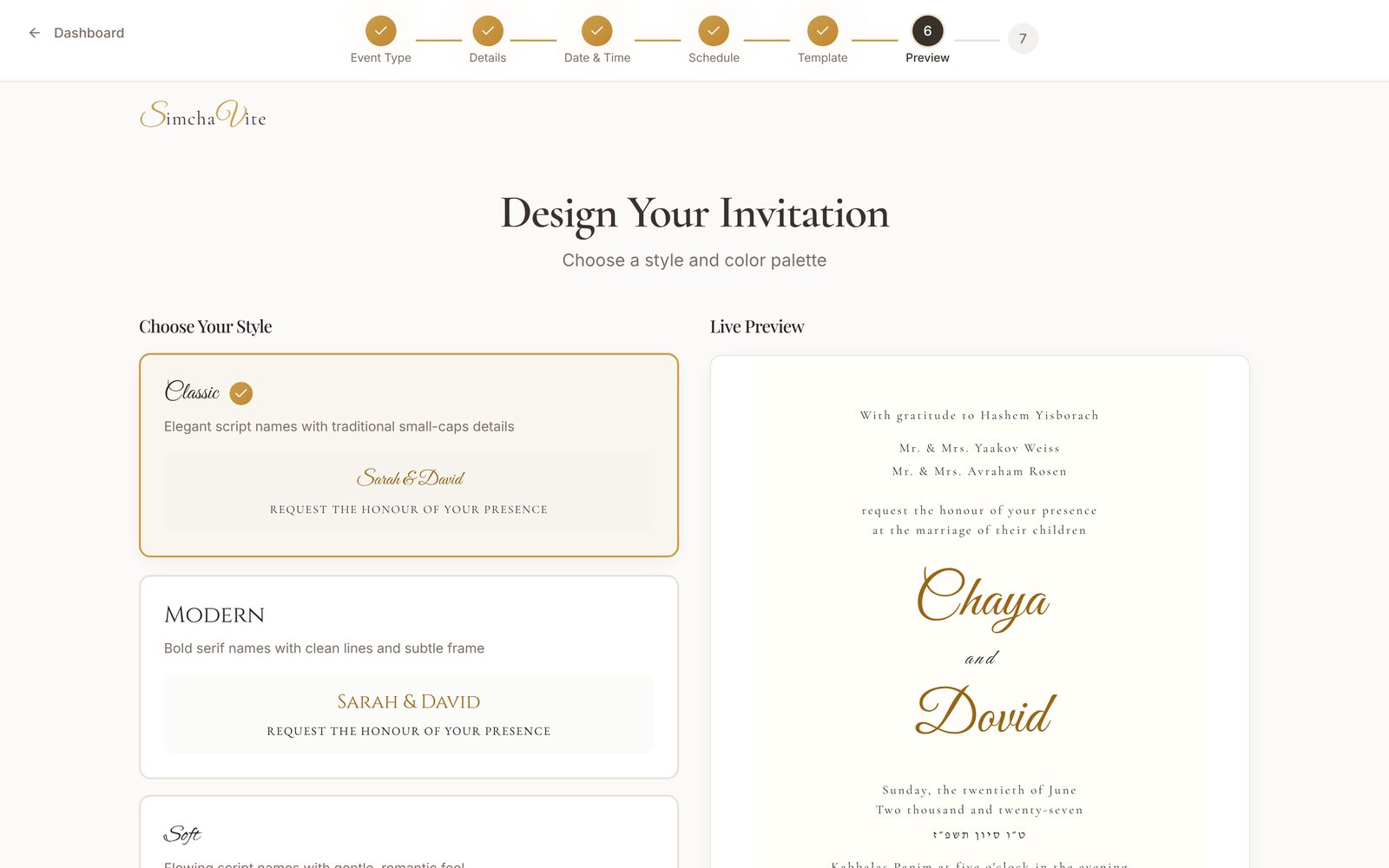
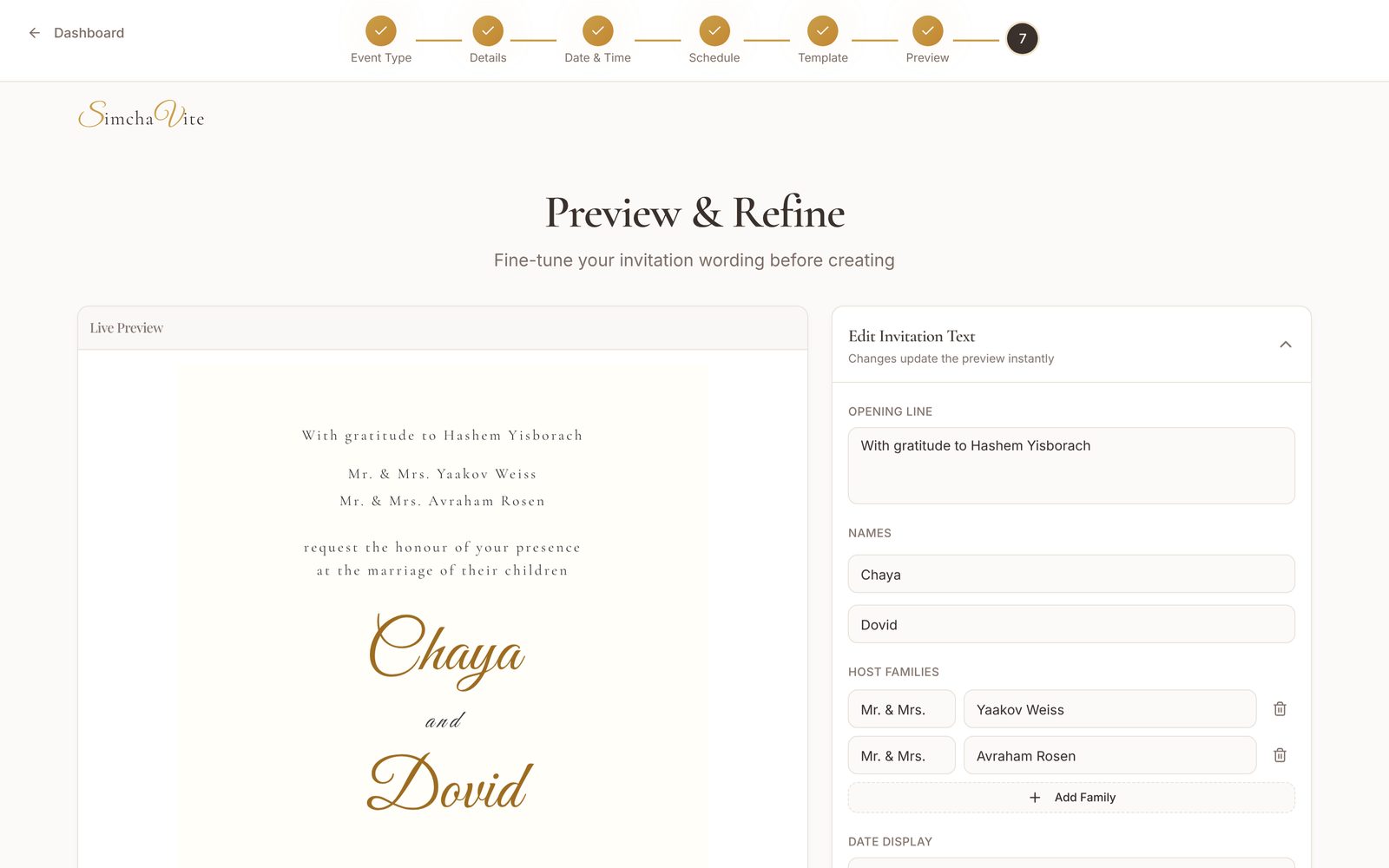
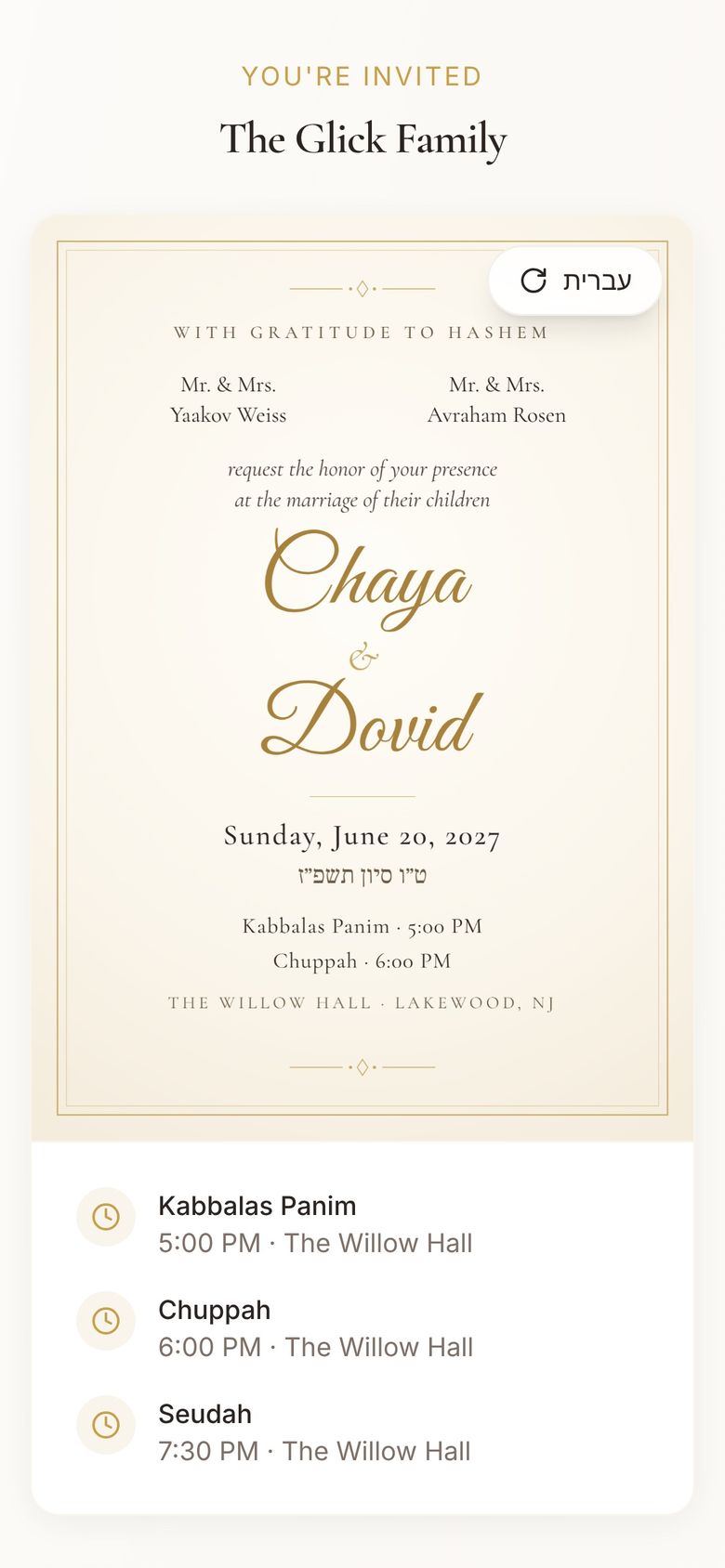
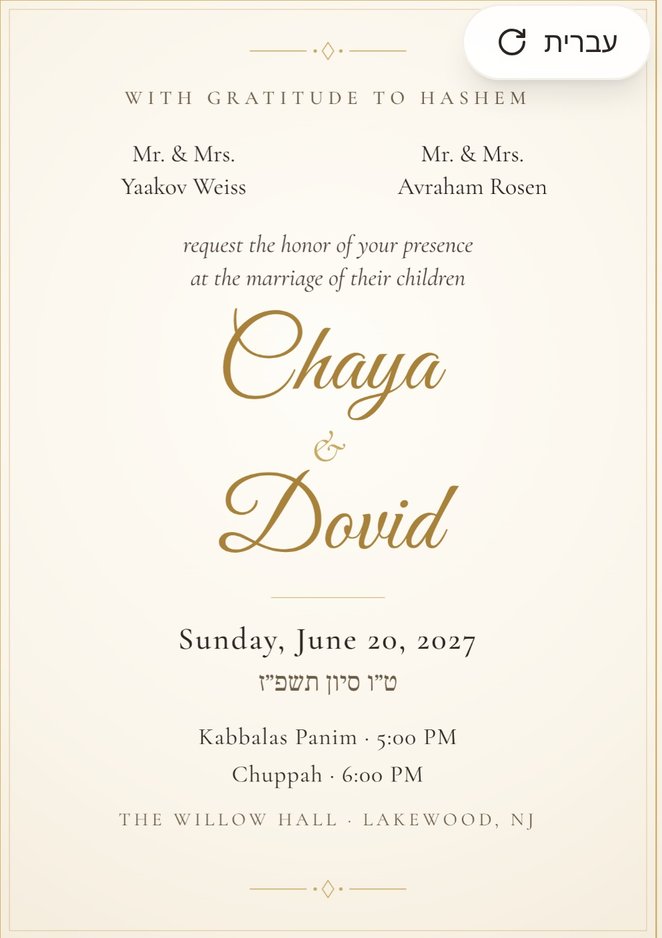
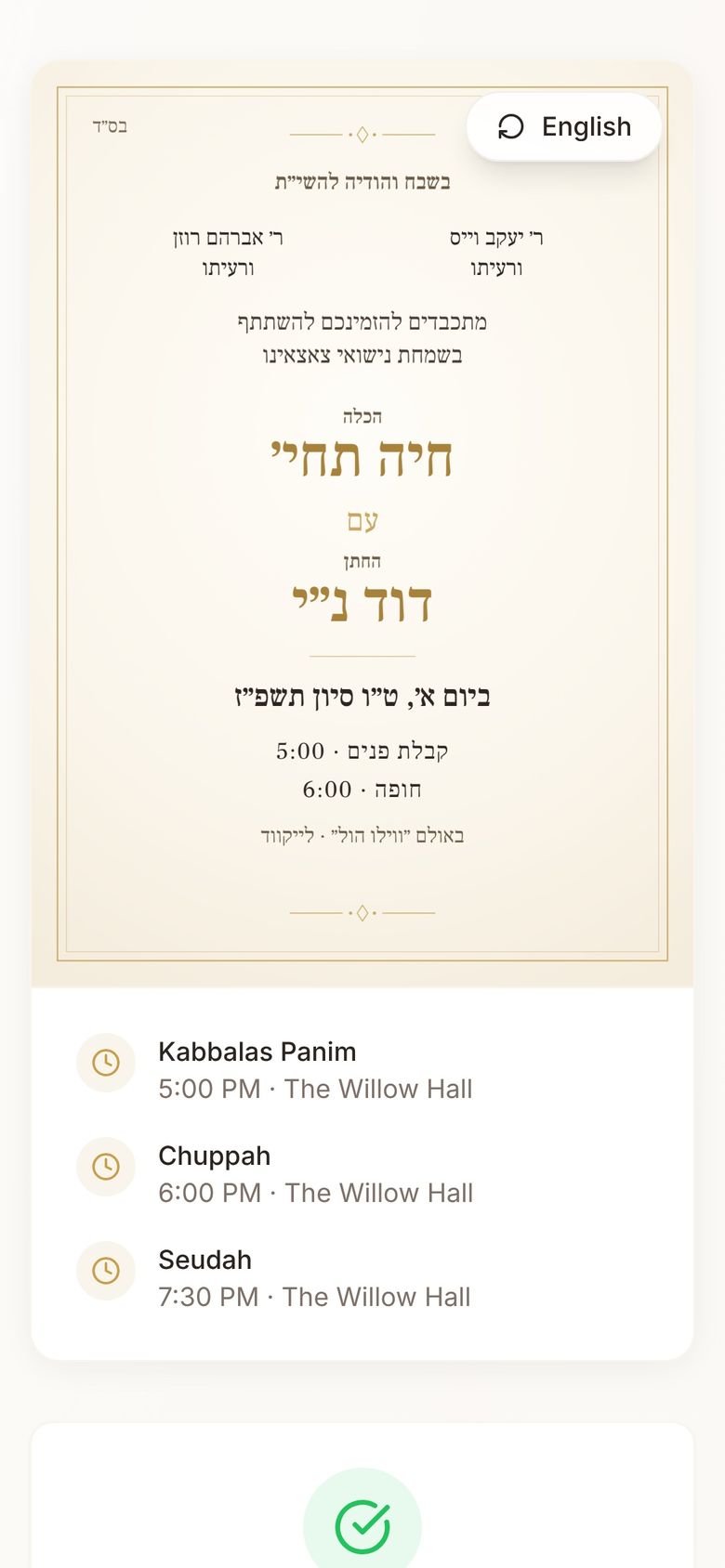
Invitation in English: Mr. & Mrs. Yaakov Weiss and Mr. & Mrs. Avraham Rosen request the honor of your presence at the marriage of Chaya & Dovid, Sunday, June 20, 2027
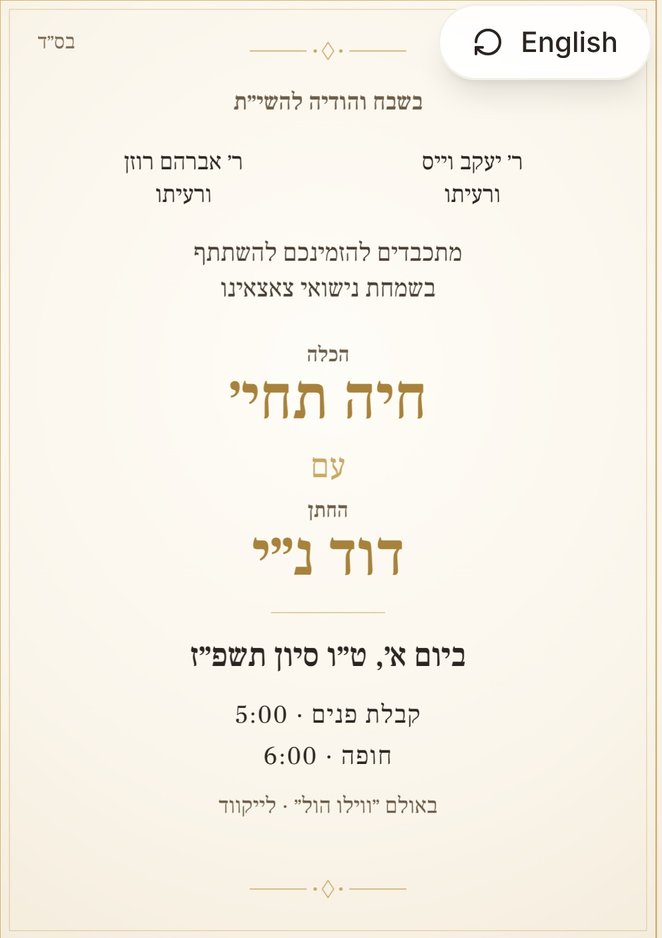
The same invitation in Hebrew
Sealed with their initial. Opens with a tap. In English and עברית.Tap the card to turn it over
Scroll to open
Introducing
The Complete Platform for Your Simcha

Invitations. RSVPs. The registry. Cash gifts. Smart Reminders. Seating. For both families, in one place.

For the hosts

Design it your way.

Upload your own design or start from a template. Add background music and an envelope that opens.

Send it everywhere.

WhatsApp groups, text, email, and a QR code for your printed invitations.
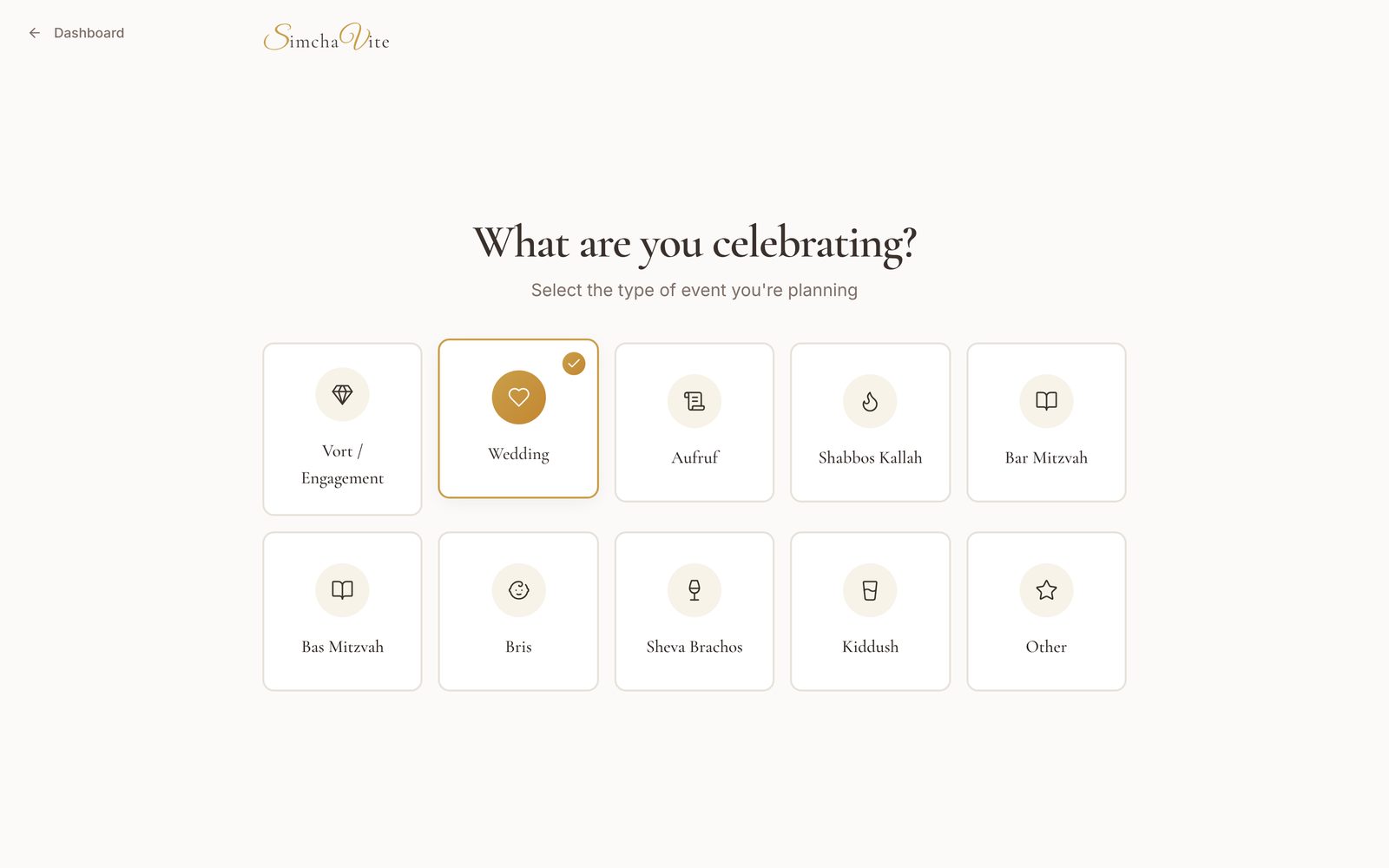
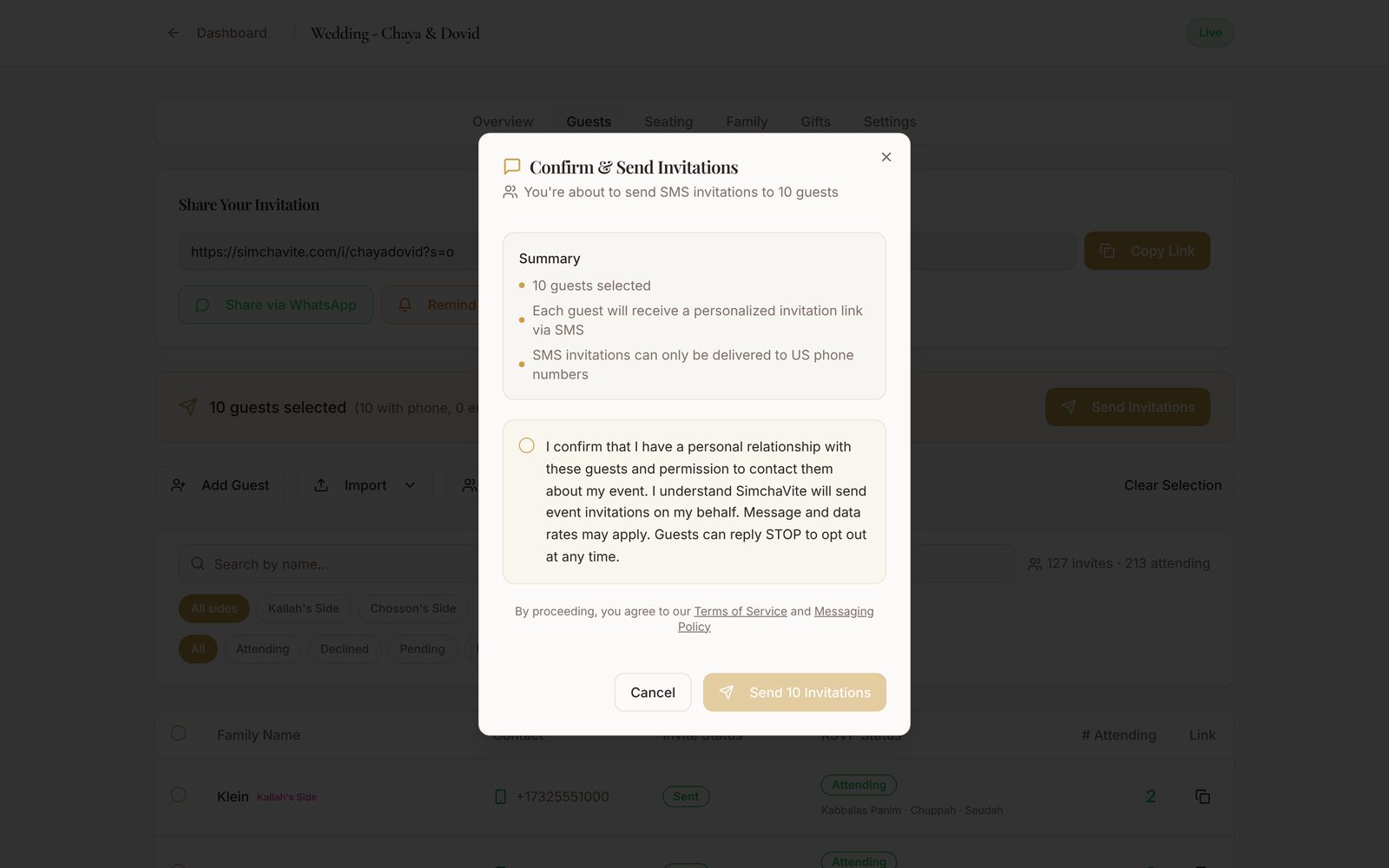
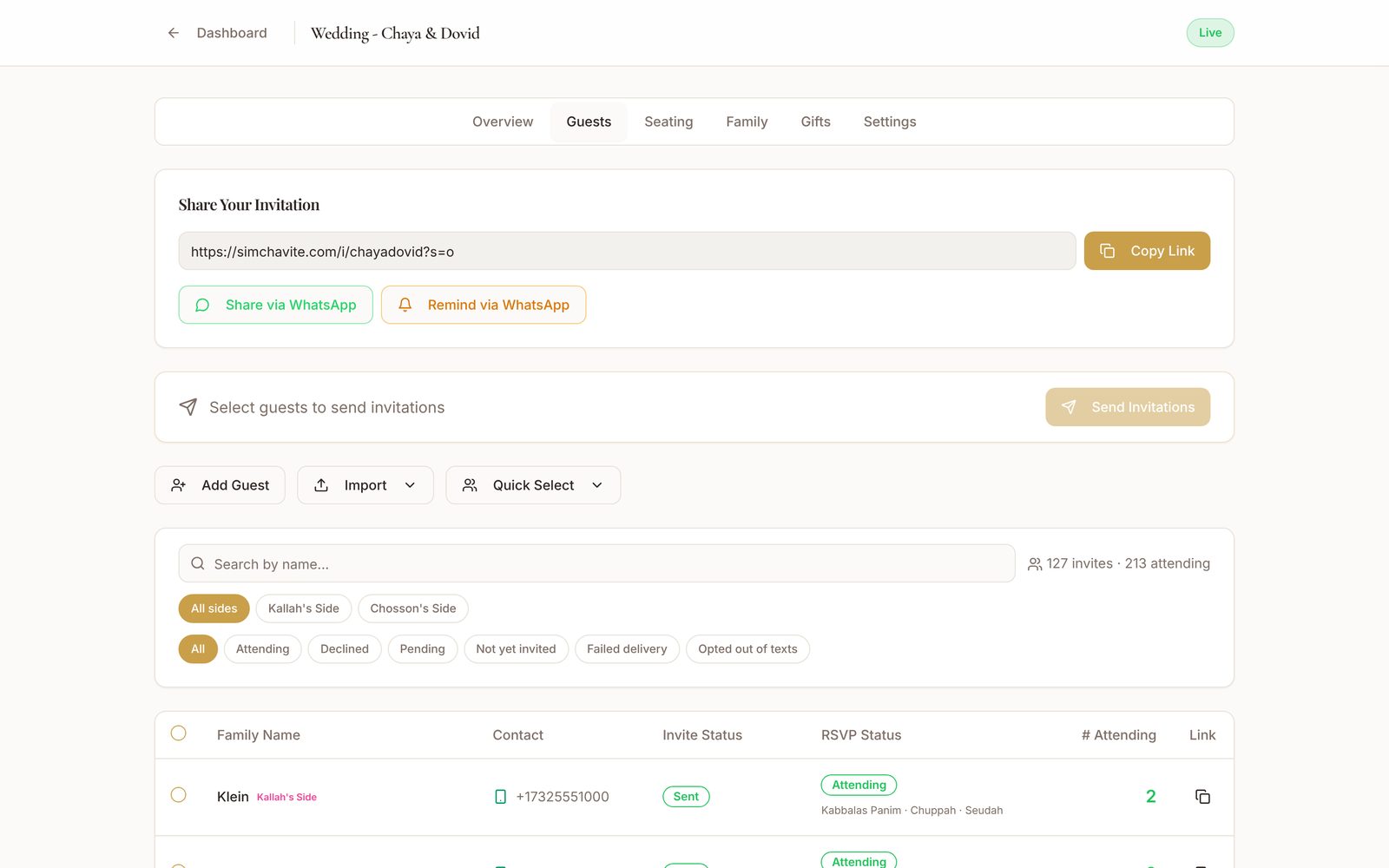
Create an event: What are you celebrating? Wedding selected Design Your Invitation: choose a style and color palette, with a live preview Preview and refine the invitation wording Confirm and Send Invitations to 10 guests Share via WhatsApp
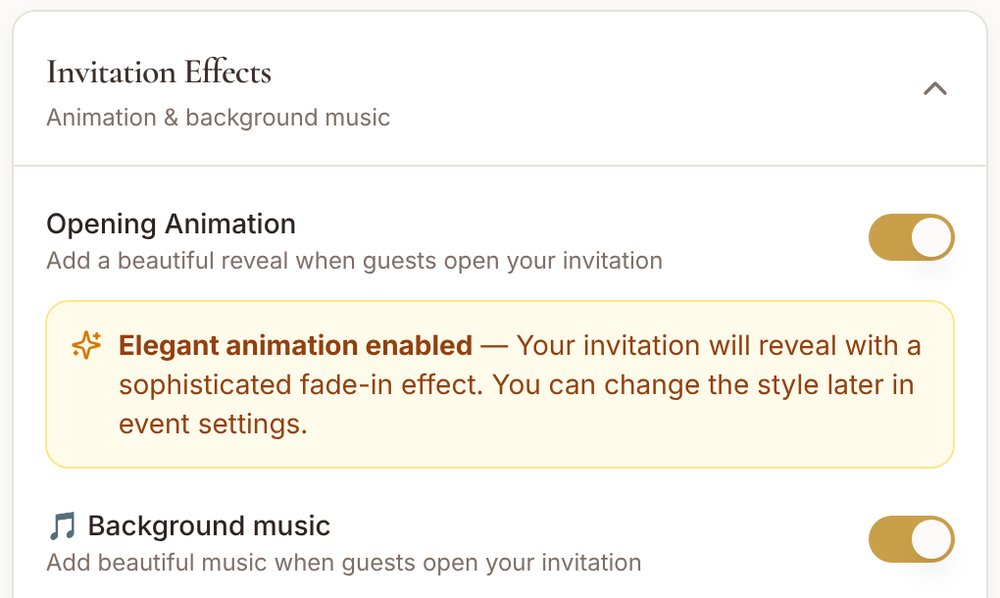
Invitation Effects: opening animation and background music, both on
Text
Email
WhatsApp
QR code
simchavite.com/i/chayadovid?g=gl7k
For the guests

One link. The whole RSVP.

  1. No app. No account.
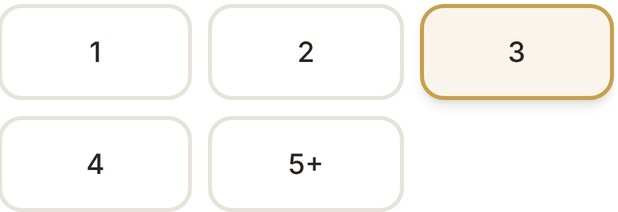
  2. Who's coming.
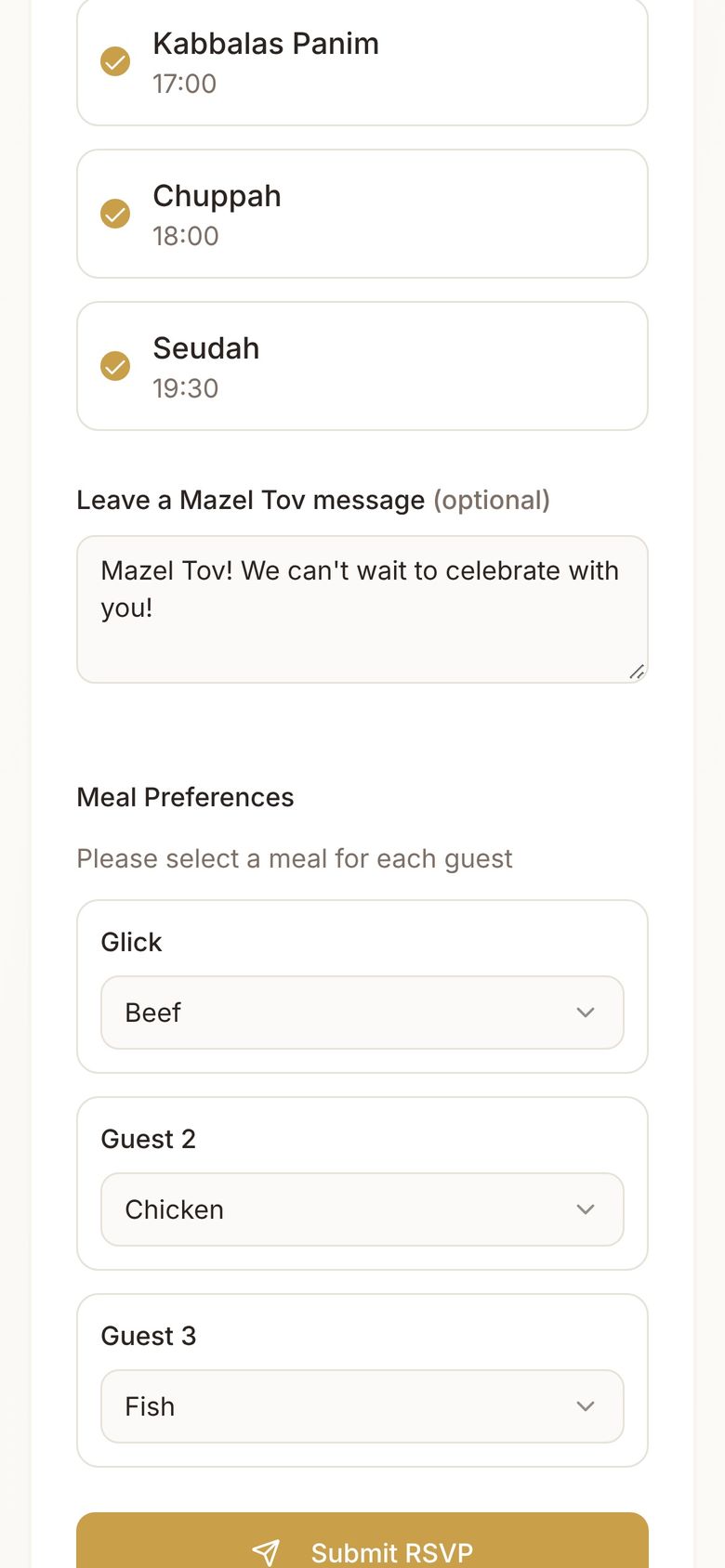
  3. Which parts.
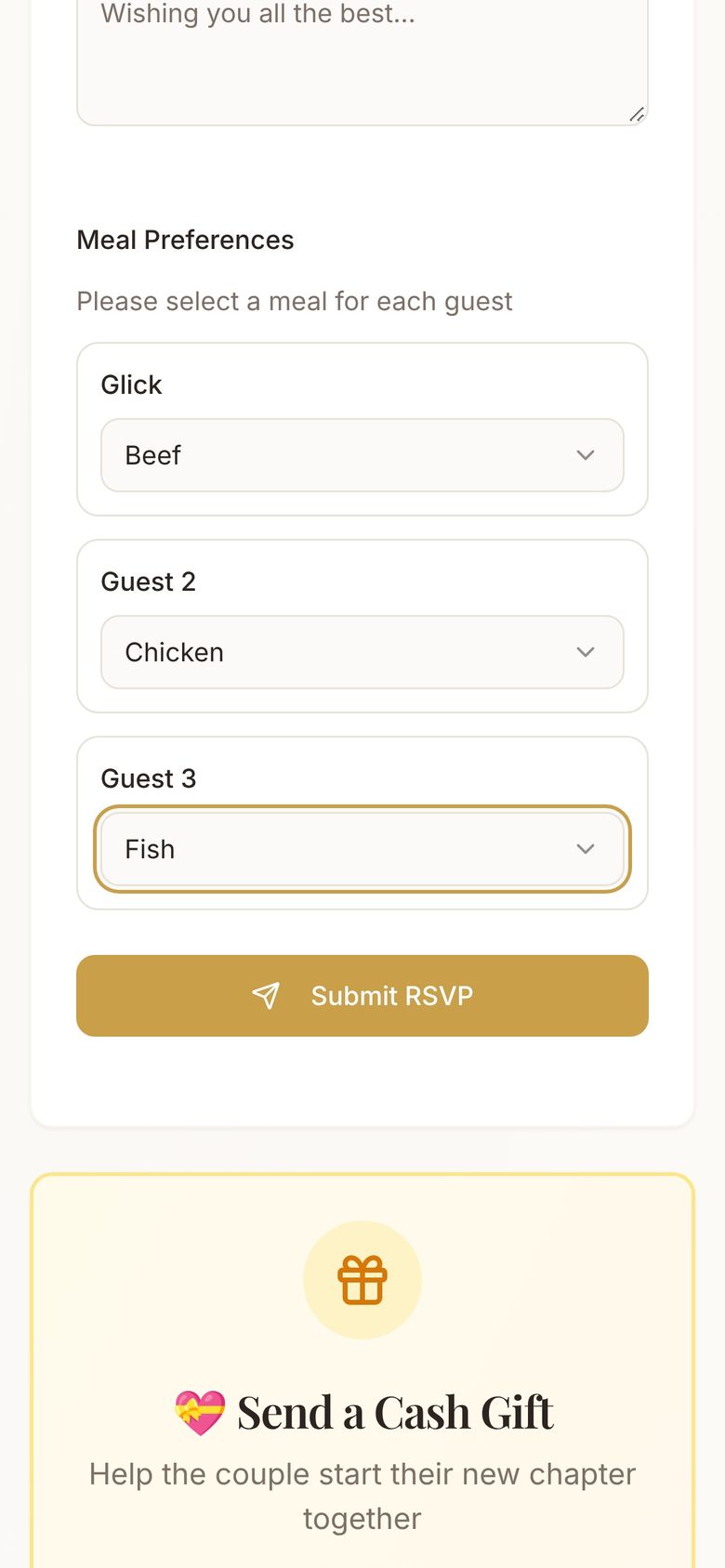
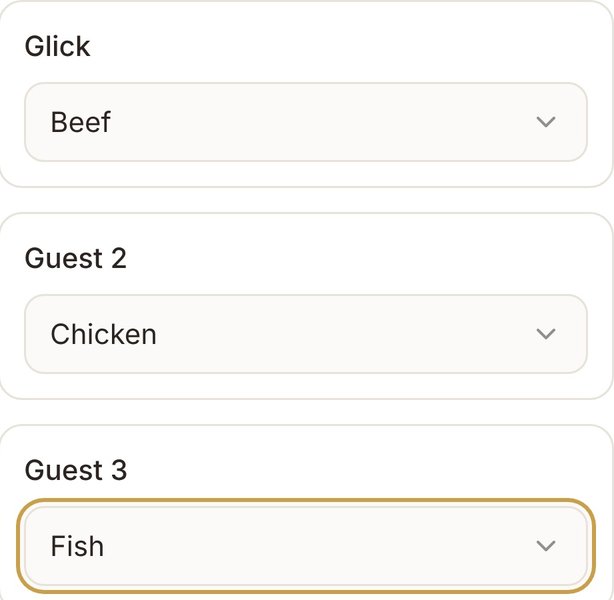
  4. What everyone's eating.
  5. A Mazel Tov for the couple.
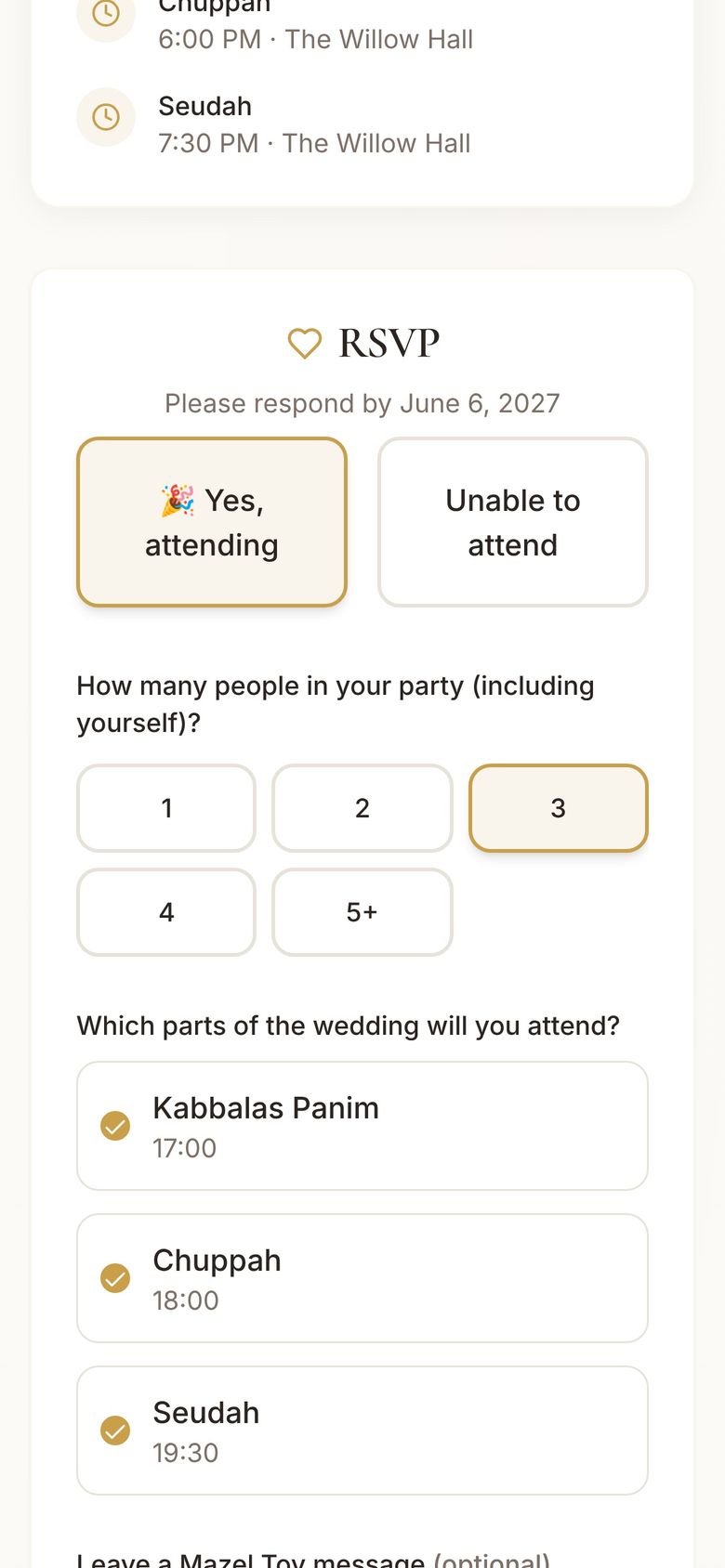
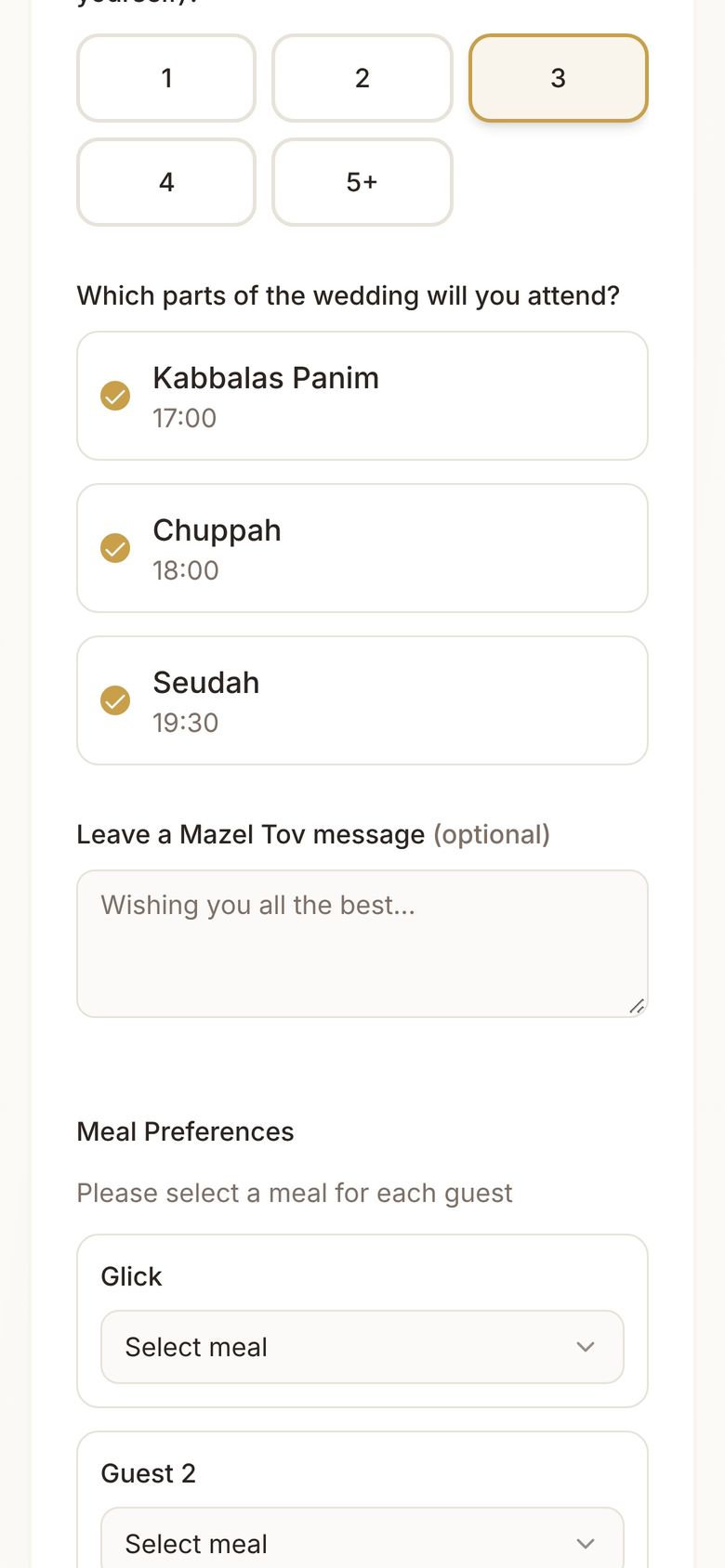
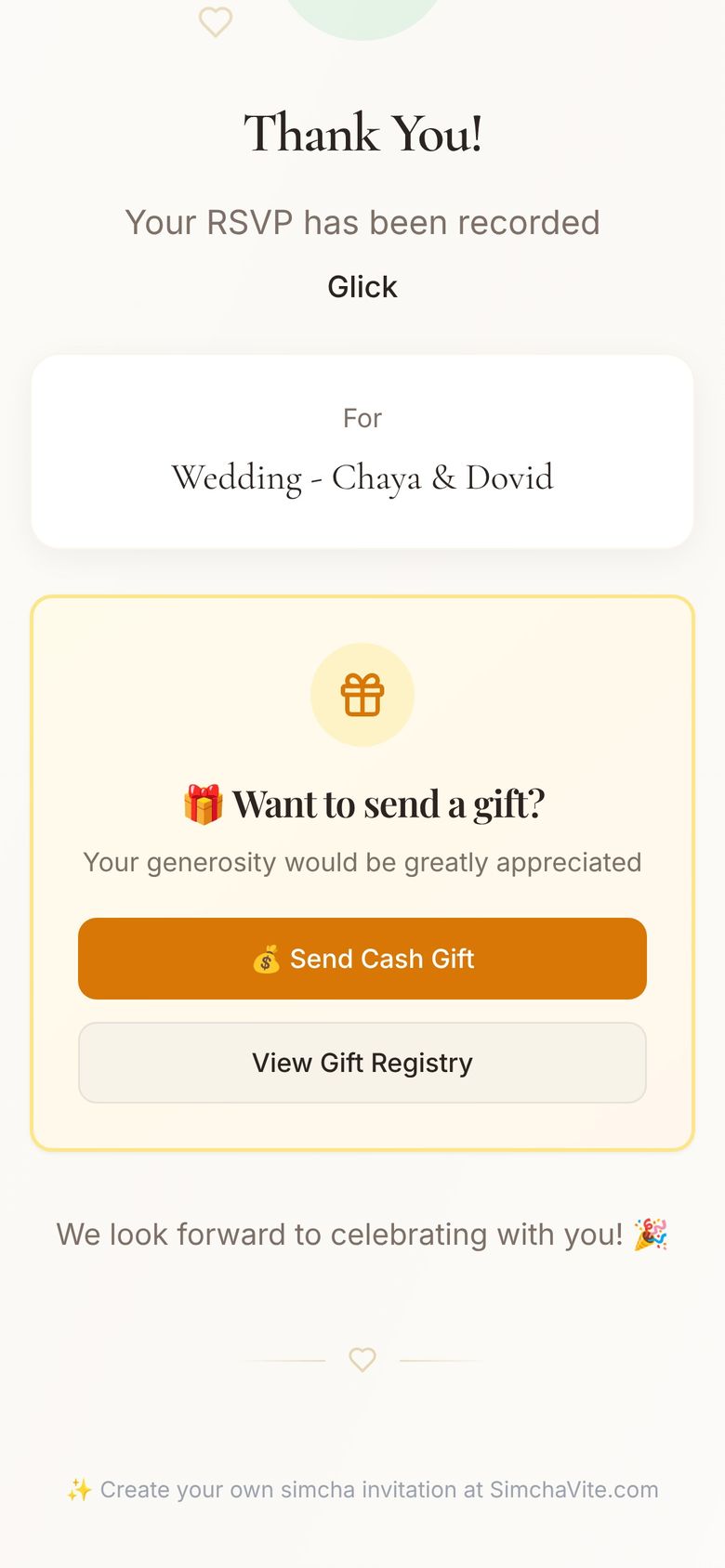
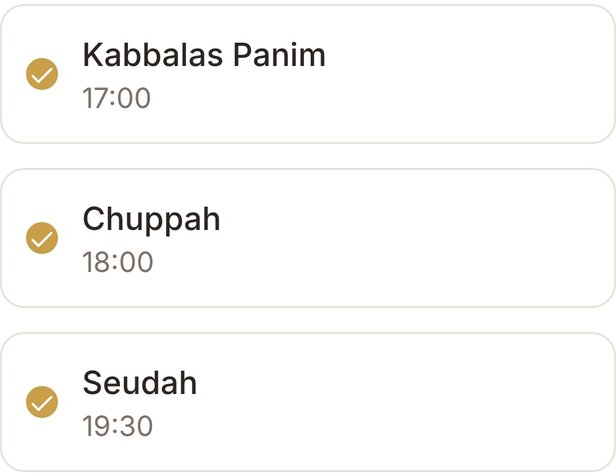
You're invited, The Glick Family RSVP: Yes, attending, party of 3 Which parts: Kabbalas Panim, Chuppah, Seudah Meal preferences: Beef, Chicken, Fish A Mazel Tov message Thank You! Your RSVP has been recorded
Leave a Mazel Tov message

Submit RSVP
Try it

You're invited. Go ahead, RSVP.

This is what your guests see: no app, no account, just a few taps. Fill it in and watch the count move.

216people attending+0
A demo for Chaya & Dovid's fictional wedding. Nothing you enter leaves this page.
YOU'RE INVITEDWedding - Chaya & DovidSunday, June 20, 2027 · The Willow Hall, Lakewood

♡ RSVP

Please respond by June 6, 2027

Leave a Mazel Tov message (optional)
Registry · Cash gifts

From the RSVP to your bank account.

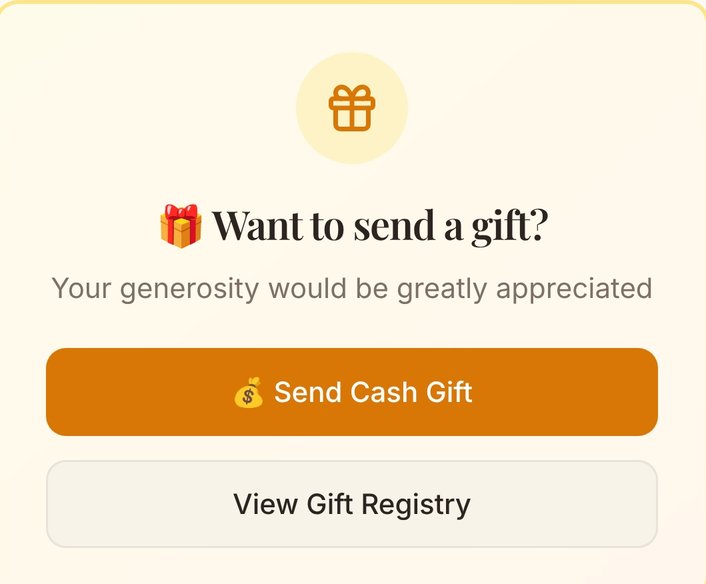
Thank-you page with Send Cash Gift and View Gift Registry
The registry, right on the thank-you page.Add any gift registry link. Guests see it the moment they RSVP, so you never have to ask.
You're Confirmed email with Send a Cash Gift and View Gift Registry
And in their confirmation email.The same two buttons, in the email they keep.
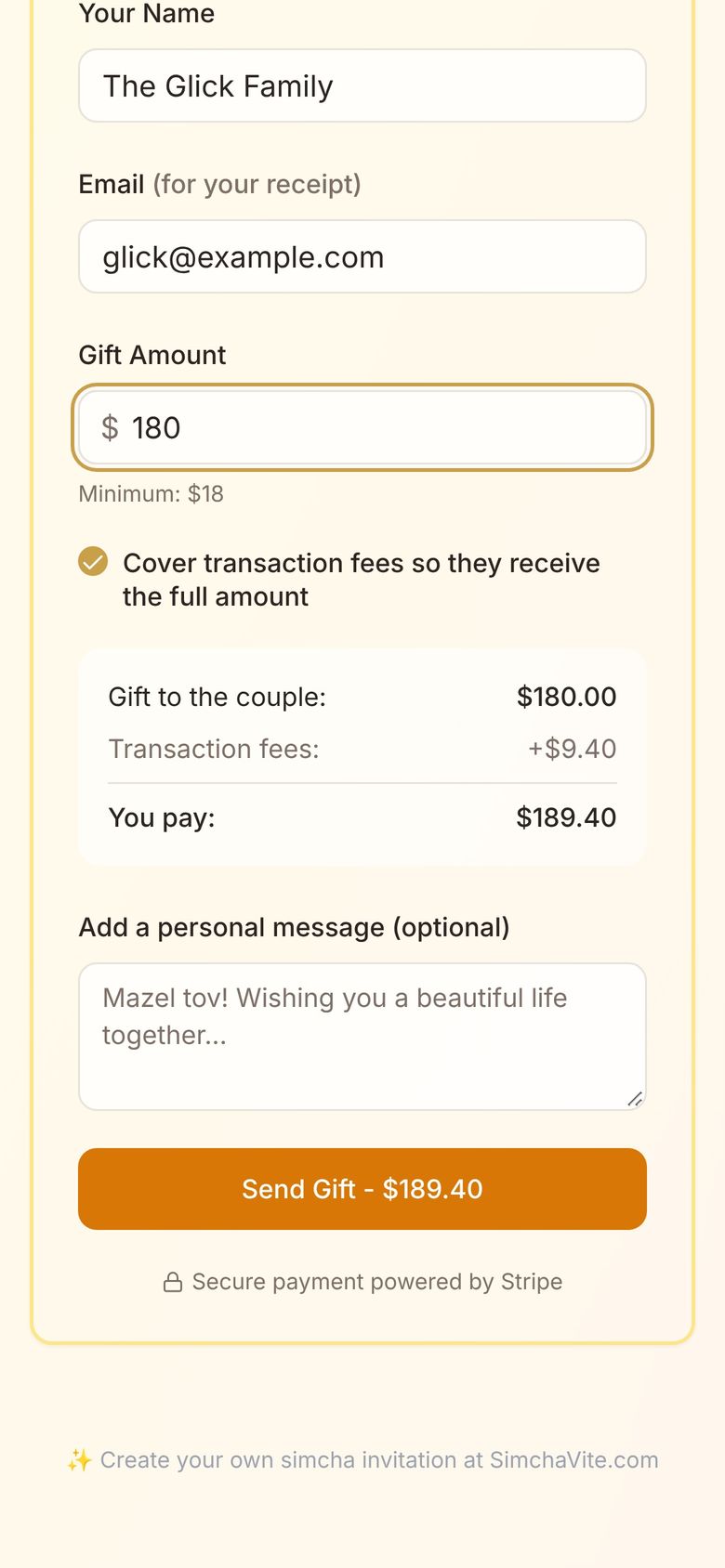
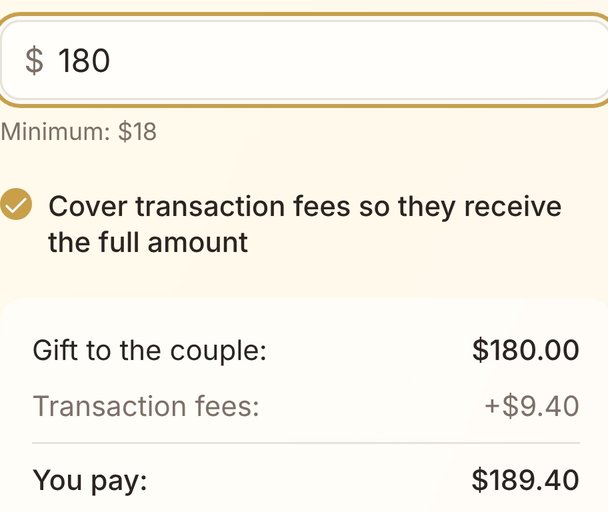
Send a Cash Gift: $180, You pay $189.40
Cash gifts, by card.Guests can cover the processing fees, so the couple gets the full amount.
Your net · Arrives June 1, 2027
$0.00
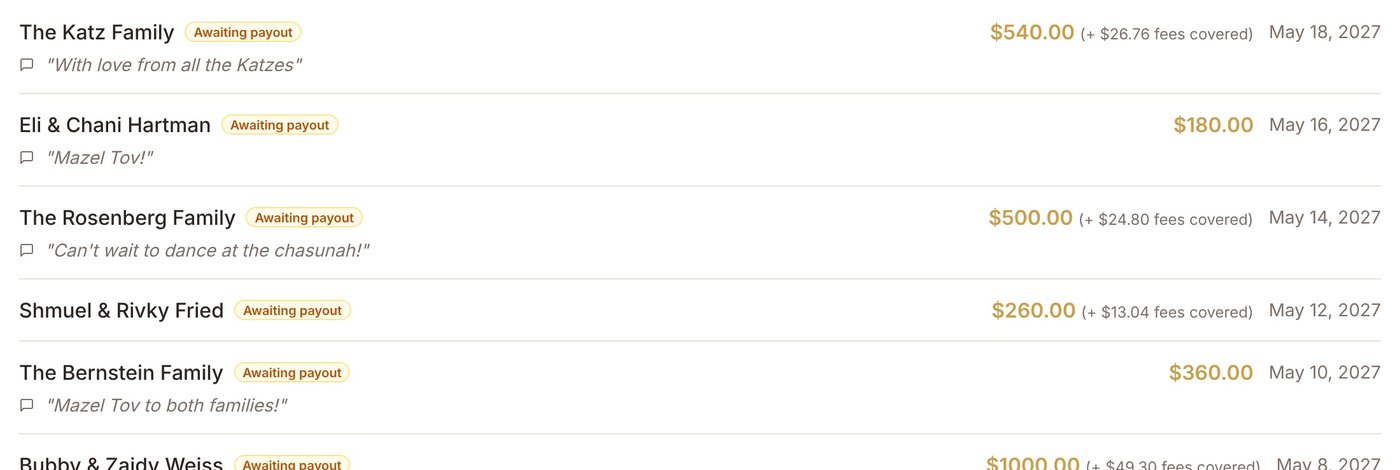
Gifts from the Katz, Hartman, Rosenberg, Fried and Bernstein families, each with their message
Straight to your bank account.Every gift in one list, with who sent it and what they wrote.
Smart Reminders

Smart Reminders follow up.

Send once. SimchaVite follows up by email and text with guests who haven't answered: up to 3 gentle nudges, between 10am and 8pm in each guest's own time zone.
Even our reminders keep Shabbos.And Yom Tov.

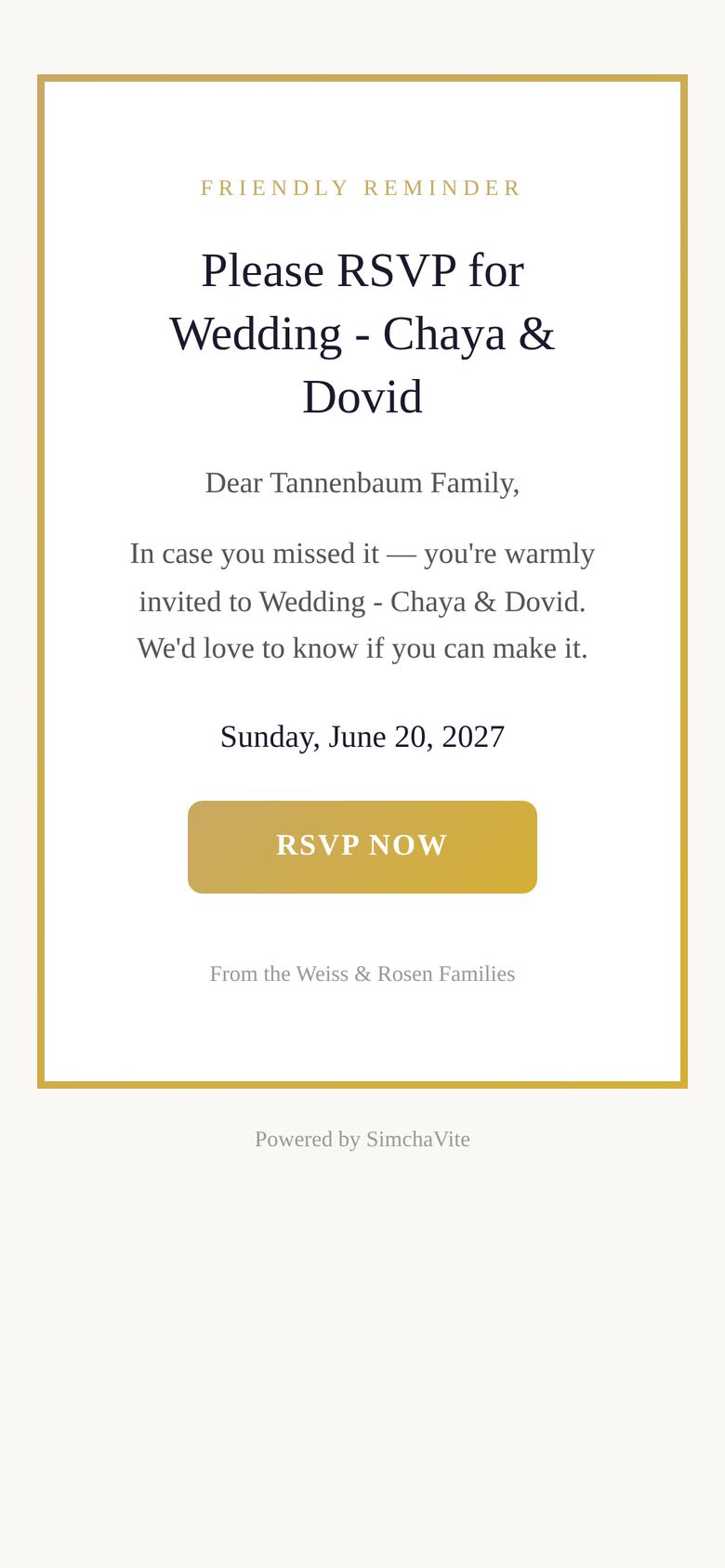
Friendly reminder email: Please RSVP for Wedding - Chaya & Dovid
Live RSVPs

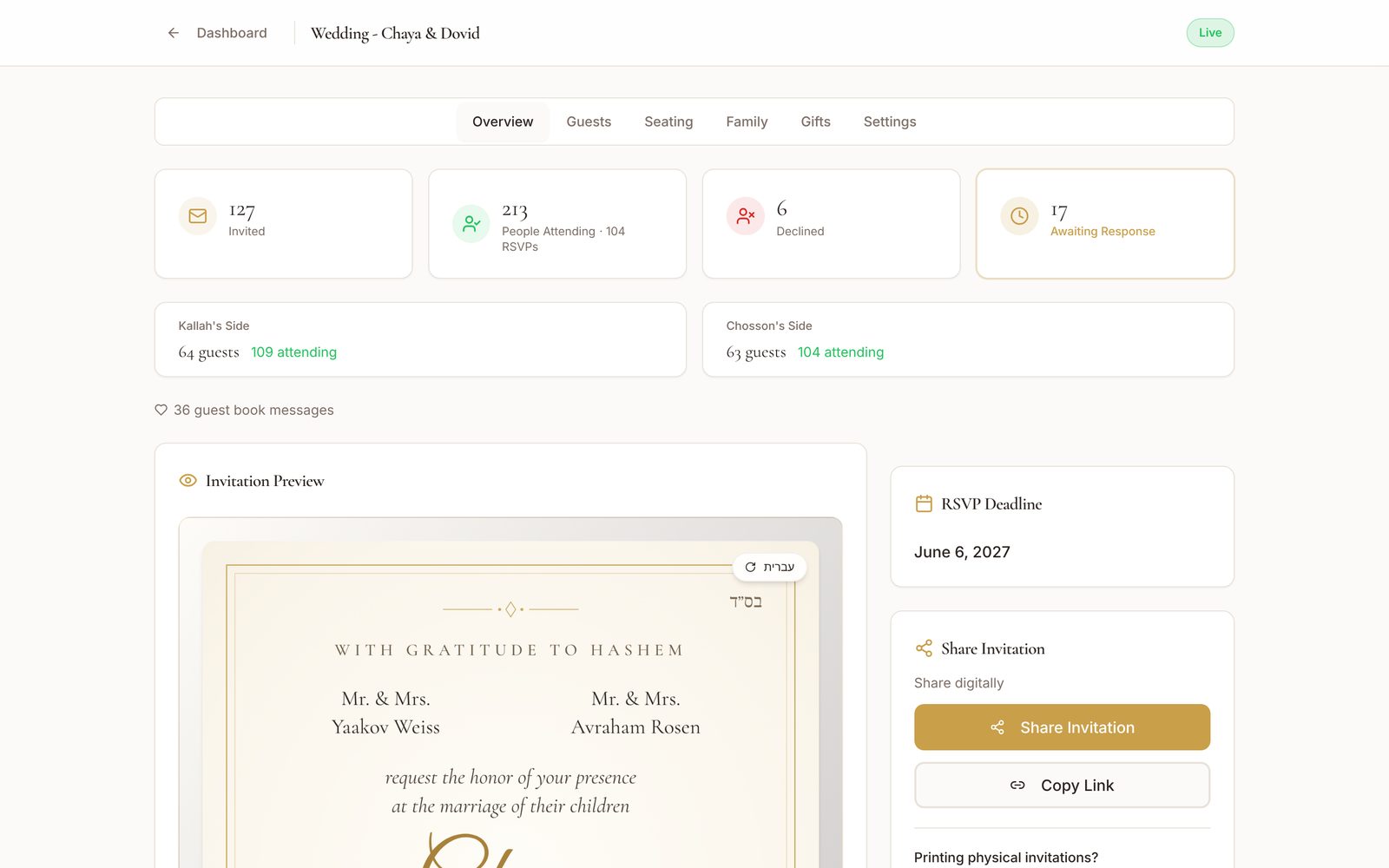
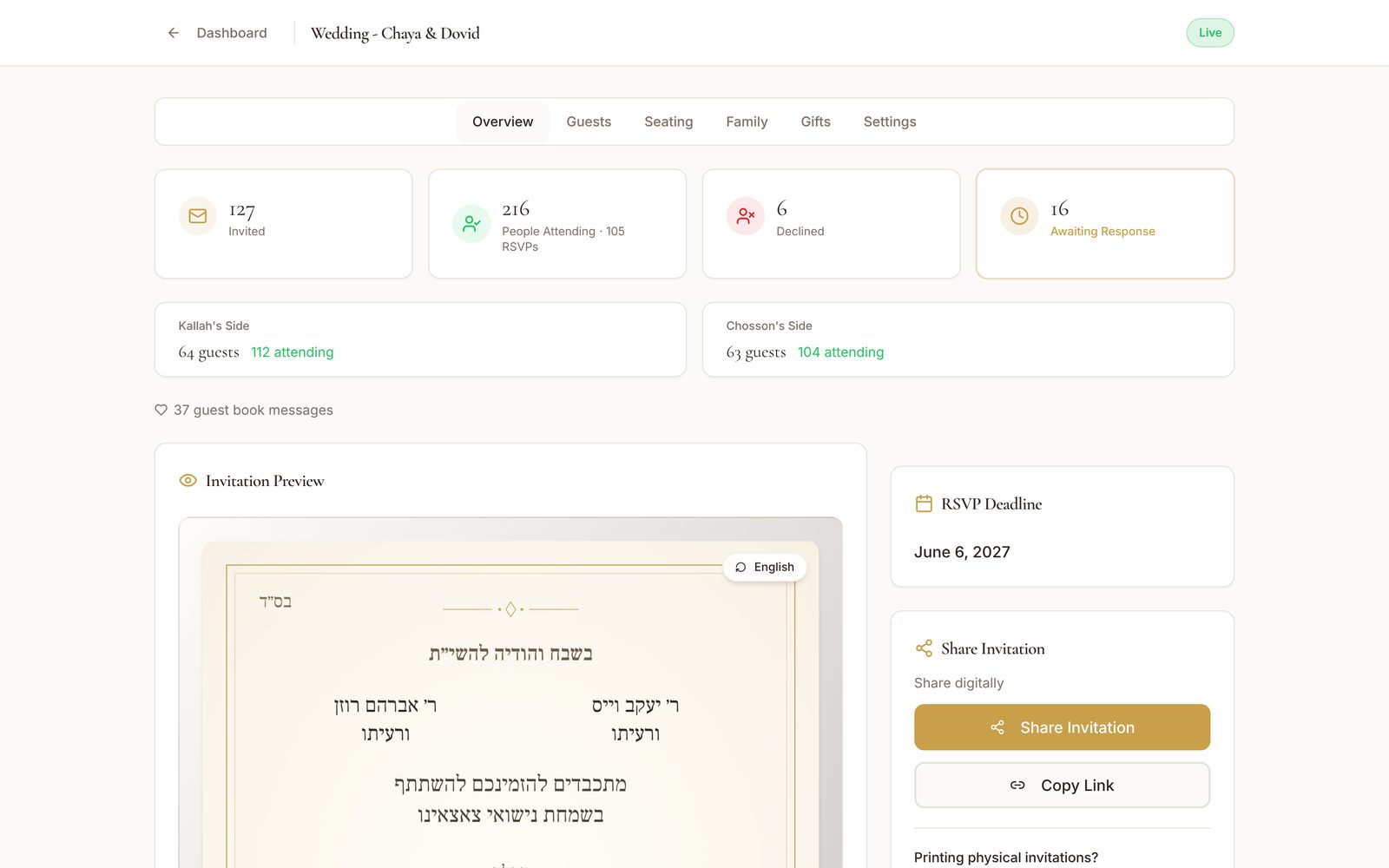
Both families. One dashboard.

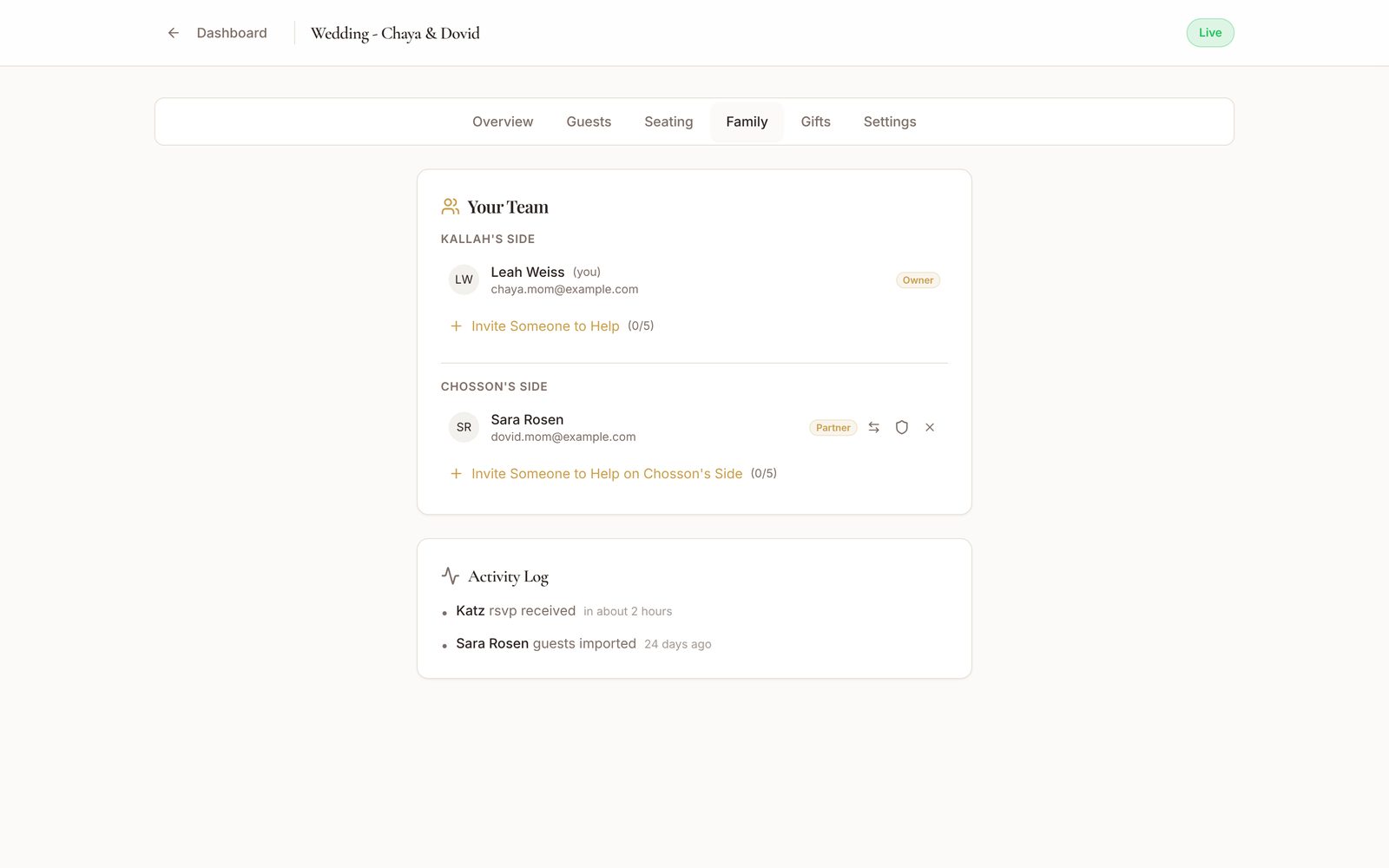
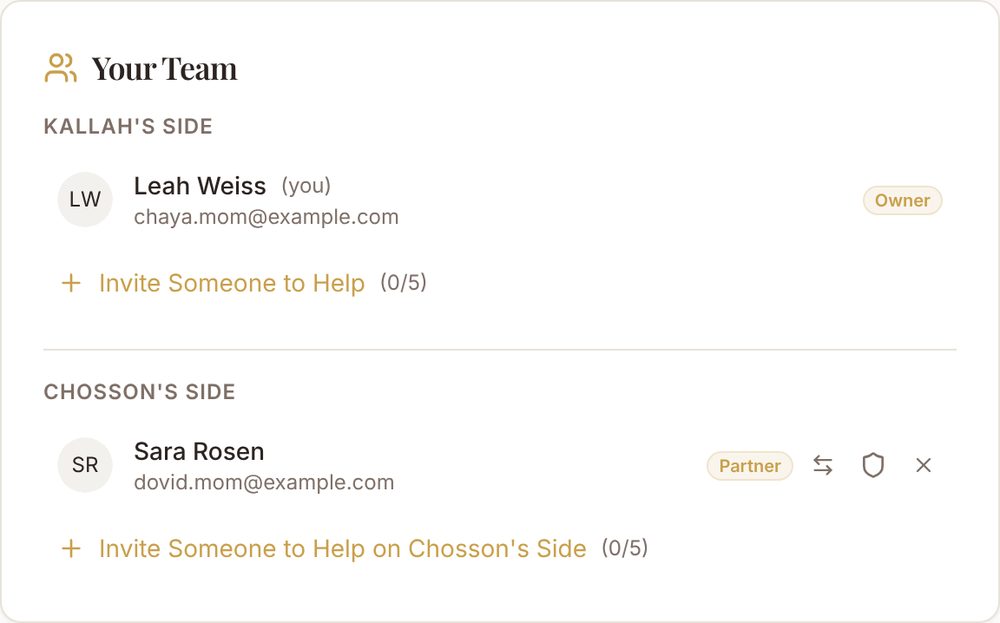
Invite the other family to co-manage. Both sides add guests, track RSVPs and stay in sync, all in one shared dashboard. Each side can bring up to 5 helpers.
people attending
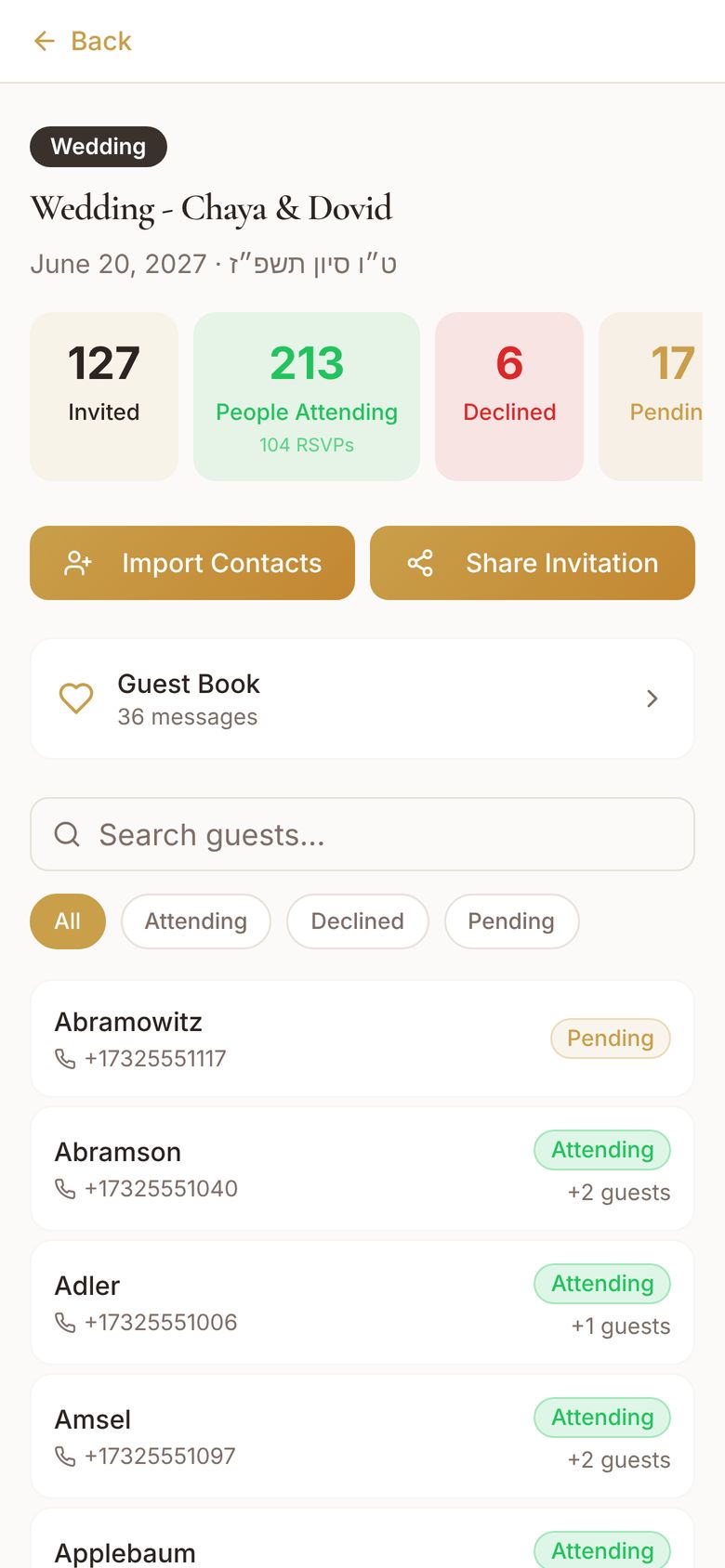
Dashboard: 213 people attending Dashboard: 216 people attending Family tab: Your Team, Kallah's side and Chosson's side
Seating

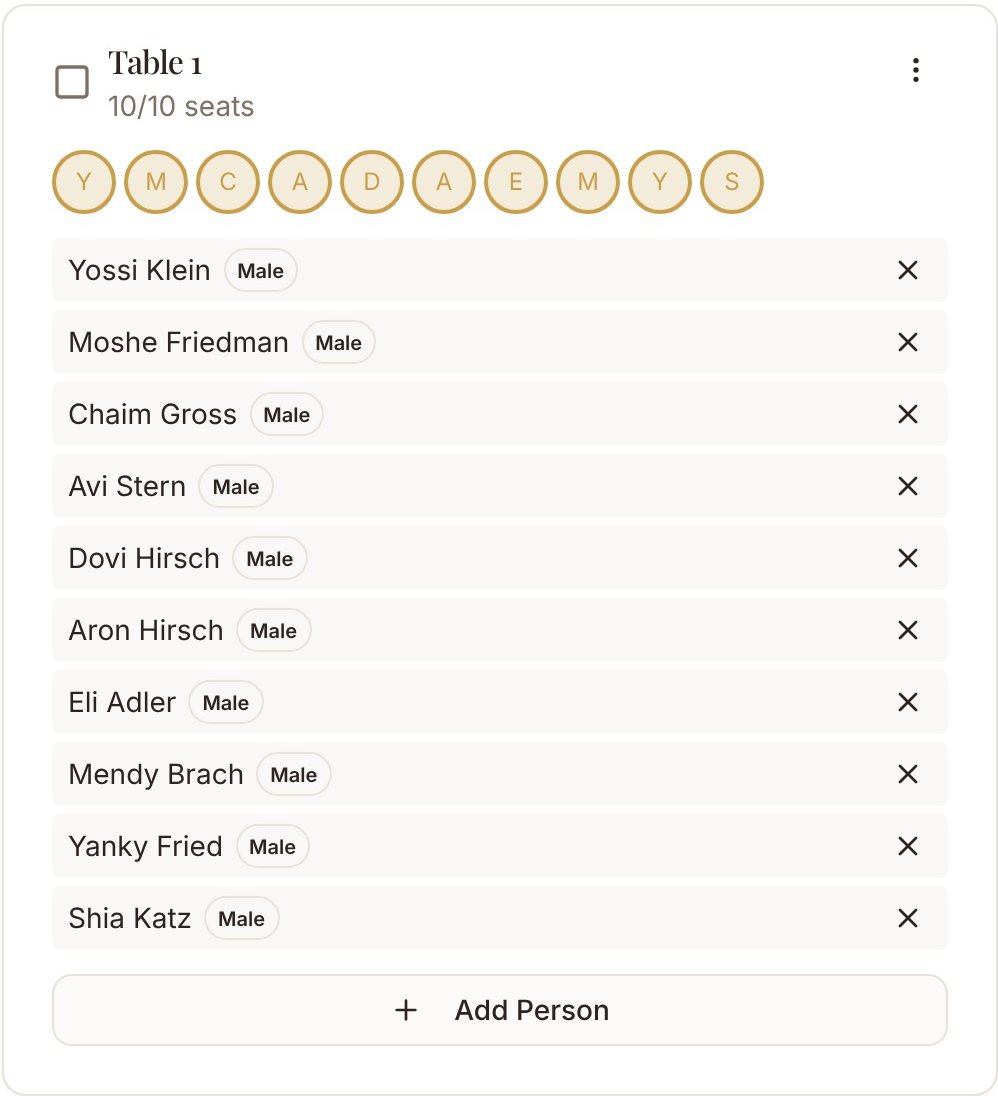
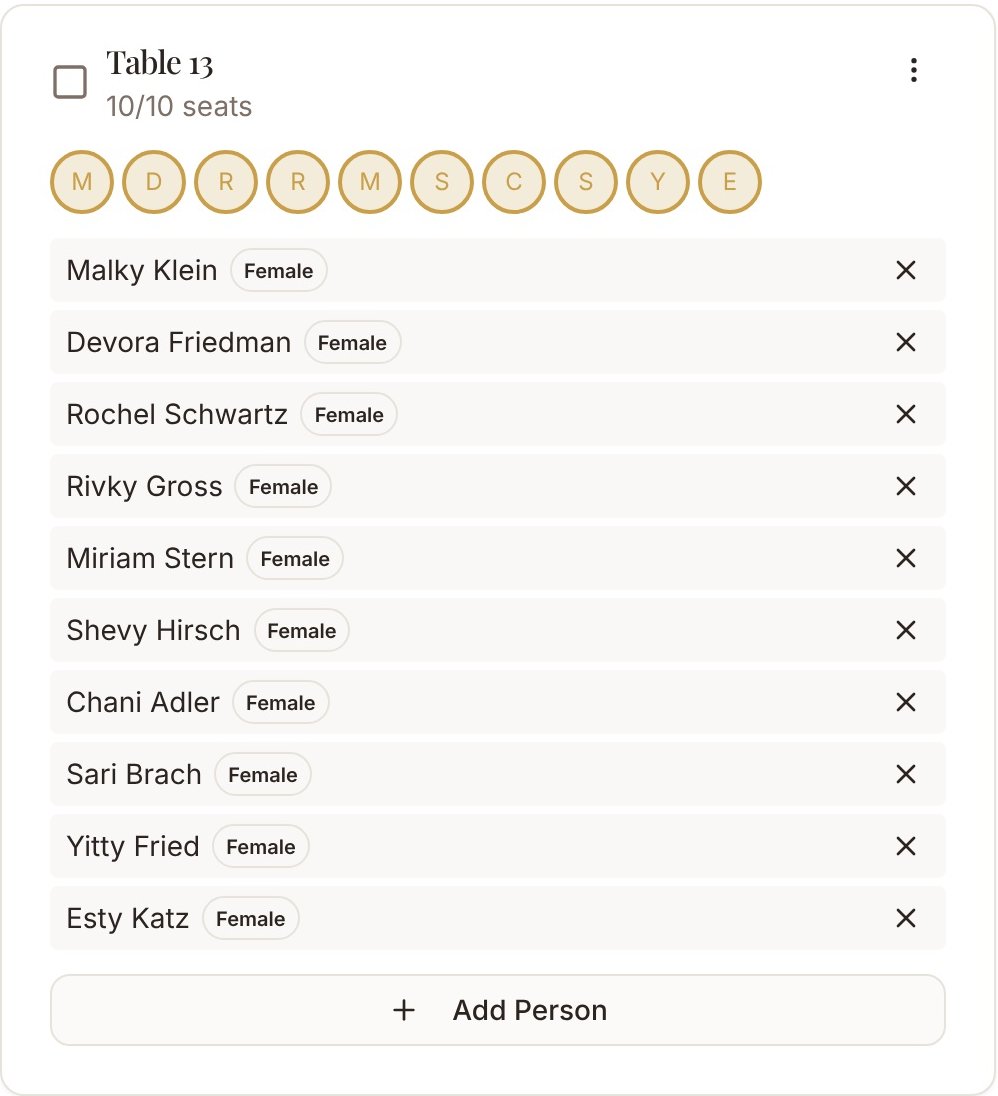
Separate seating. Sorted.

Men's and women's sections. Assign guests to tables, track capacity, and export the chart to PDF.
Men's Section
Women's Section
Men's Section, Table 1, 10 of 10 seats
Women's Section, Table 13, 10 of 10 seats
The SimchaVite app · Available now

Your simcha, right in your pocket.

Use the website to manage your event, and the app to stay in the loop on the go.
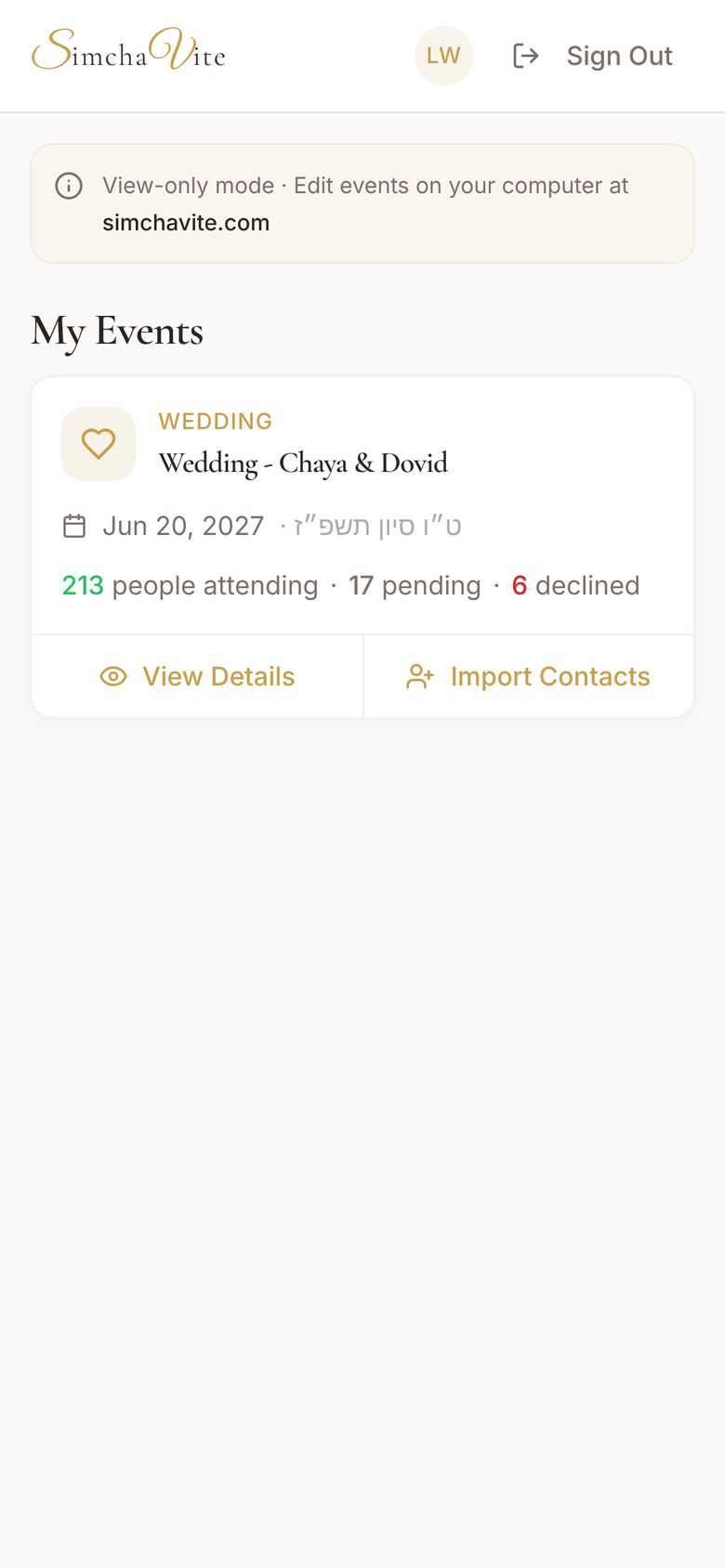
  • A notification the moment a guest RSVPs
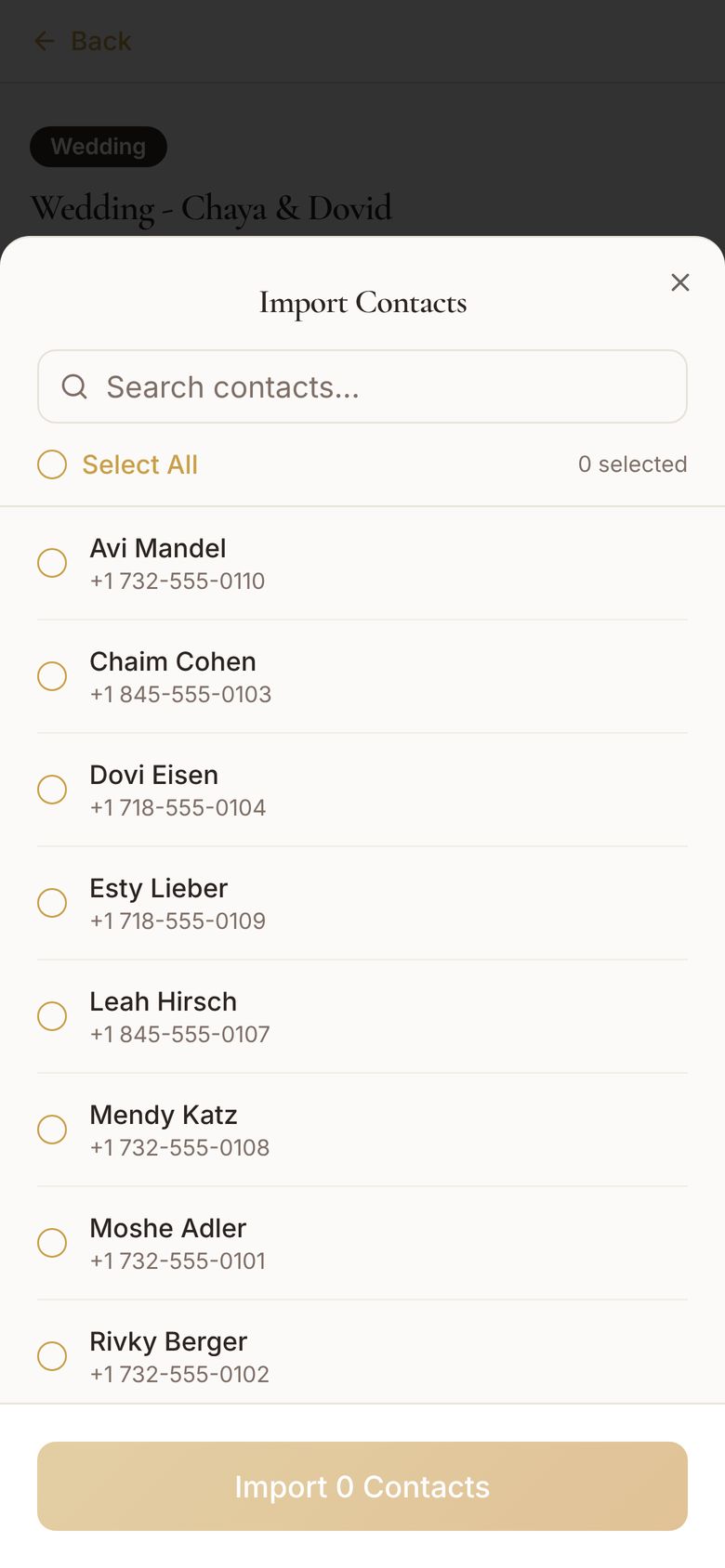
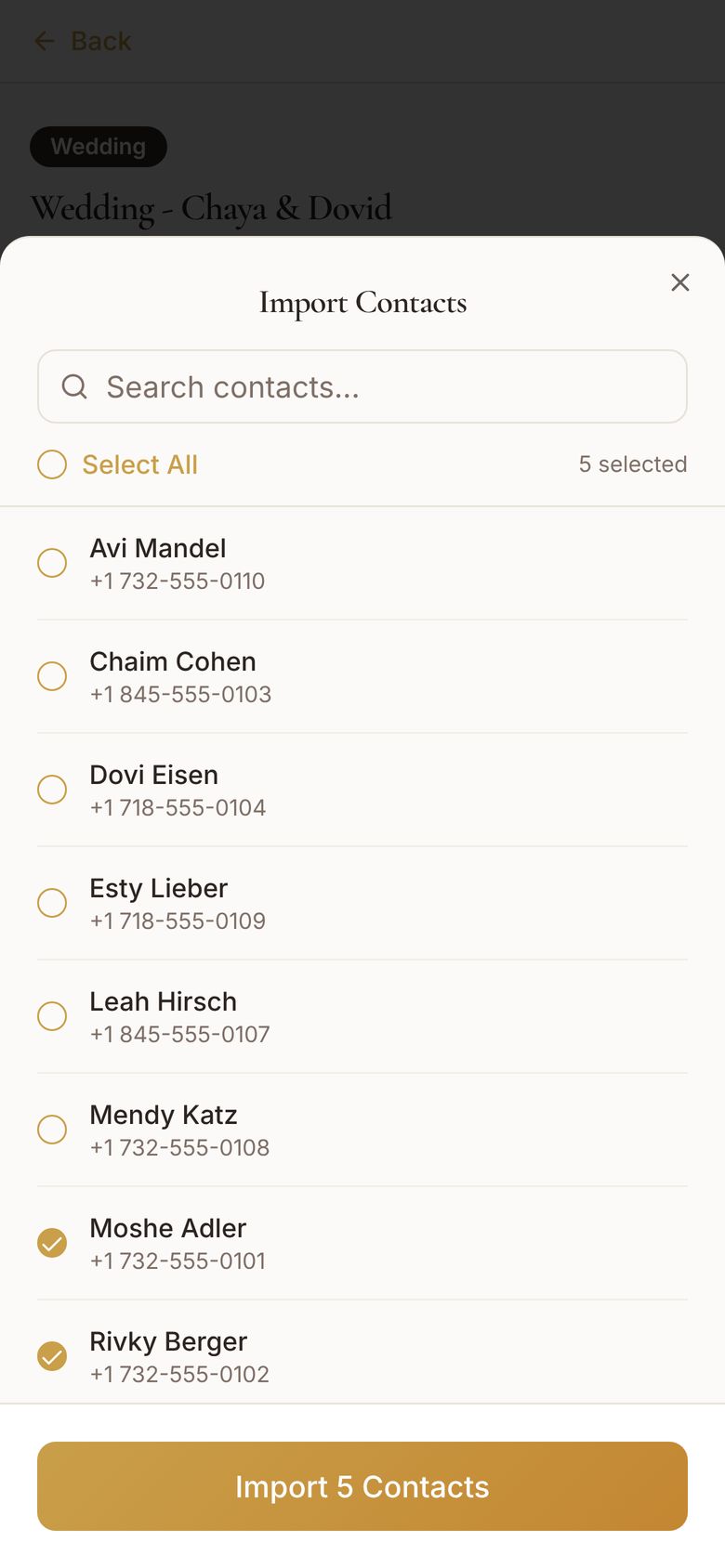
  • Import contacts straight from your phone. No typing, no spreadsheets.
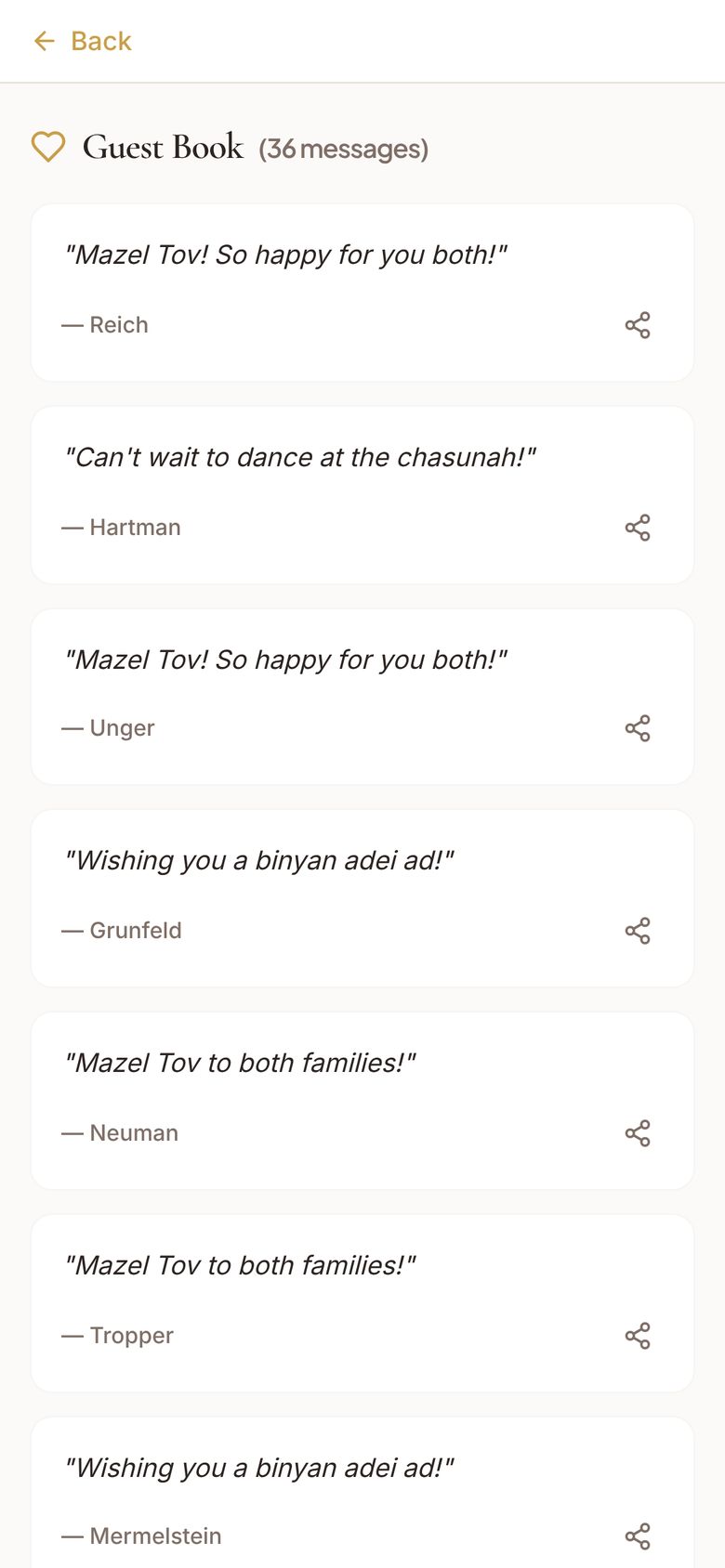
  • Every Mazel Tov, saved in your guest book
Download on the App StoreAndroid version coming soon
The app: My Events, Wedding - Chaya & Dovid, 213 people attending The app: the event with Import Contacts and Share Invitation The app: Import Contacts list The app: 5 contacts selected, Import 5 Contacts The app: Guest Book with 36 messages
SSimchaViteNew RSVP: The Glick Family · 3 attendingnow
SSimchaViteNew RSVP: The Katz Family · 5 attending2m
Every screen is real

This is the actual app. Take a look around.

Create your event1 of 15
How it works

Plan your simcha in 3 simple steps.

1
Create

Design your invitation in minutes. Upload your own or use our templates. Add music, animations, and your event details.

2
Share

Send your invitation link by WhatsApp, text, or email. Share to family group chats instantly.

3
Celebrate

Track RSVPs in real time, manage your seating chart, and focus on what matters: celebrating your simcha.

Get Started Free
Why families choose SimchaVite

Built by people who've been to a lot of simchas.

We built this because we've been to enough simchas to know what actually works.

S
Built for frum families

Other platforms don't understand separate seating, Hebrew dates, or why your guest list includes three generations of Goldsteins. We do.

W
WhatsApp-first

Let's be honest: nobody checks email invitations anymore. Share your link to the family WhatsApp group and watch the RSVPs roll in.

5
No tech skills needed

If you can send a text message, you can use SimchaVite. Create your first invitation in under 5 minutes.

Pricing

Simple, transparent pricing.

Start free. Pay only when your attending count grows past 18. Each event is priced separately, based on how many people are attending.

213

Simcha plan · $249 for this event

Free

Up to 18 people attending
$0
  • Beautiful invitations
  • WhatsApp link sharing
  • Full RSVP tracking
  • Gift registry links
  • Cash gift collection
  • Background music & animations
Get Started

Manual sharing only

Standard

Up to 75 people attending
$69
  • Everything in Free
  • Send SMS & Email to everyone in one click
★ Popular

Event

Up to 150 people attending
$139
  • Everything in Standard
  • Seating charts
  • PDF export

Simcha

Up to 350 people attending
$249
  • Everything in Event
  • Priority support

Grand Simcha

350+ people attending
Custom
  • Everything in Simcha
  • Custom pricing for large events
Contact us

info@simchavite.com

No upfront costs. Set up your entire event for free, and upgrade only when people attending pass your plan's limit. Payment is processed securely through Stripe. Special pricing for shadchanim, nonprofits, shuls, schools, and families with multiple simchas: Partner With Us.

FAQ

Frequently asked questions.

How do guests RSVP?

Guests simply click your invitation link, view your beautiful invitation, and fill out a quick form. No account needed, no app to download. Takes about 30 seconds.

Can I use my own invitation design?

Absolutely! Upload any image or PDF of your invitation. Or use our templates to create something beautiful from scratch.

How does separate seating work?

Our seating chart has built-in men's and women's sections. Assign guests to tables in each section and export a PDF for your caterer or venue.

How do cash gifts work?

Guests can send monetary gifts directly through your invitation page. You connect your bank account via Stripe, and gifts are deposited on the 1st of each month.

What if some guests don't use WhatsApp?

No problem! SimchaVite can send text message (SMS) invitations directly to your guests with just one click. Email is also available as a fallback. You can still share via WhatsApp manually for guests who prefer it.

How do Smart Reminders work?

After you send invitations, SimchaVite automatically follows up with guests who haven't responded: up to 3 gentle reminders per event, by email and text. Reminders pause for Shabbos and Yom Tov, respect each guest's local time, and stop the moment a guest RSVPs. Guests can opt out of texts anytime, and you can pause the whole event or send manually whenever you want.

Is there a limit on how many events I can create?

No limit! Create as many events as you need. Each event is priced separately based on guest count.

Can guests see other guests' responses?

No. Guest responses are private and only visible to you, the host.

Do you offer any discounts?

Yes! We offer special pricing for shadchanim, nonprofits, shuls, schools, and families with multiple simchas. Visit our Partner With Us page to learn more and get in touch.
Your whole simcha. One place.

The host dashboard
The invitation in Hebrew
The RSVP
The thank-you page
The Complete Platform for Your Simcha
Create Your Free Invitation
No credit card required · Set up in under 5 minutes
Best with sound on